
Inside the client portal
See exactly what you'll be looking at.
Every inspection becomes a photographic report, every defect becomes a tracked snag, and every document lives in one place, visible to you, your architect and your builder, updated within a day of the site visit.
The screens below use illustrative sample data, not a real client's project.
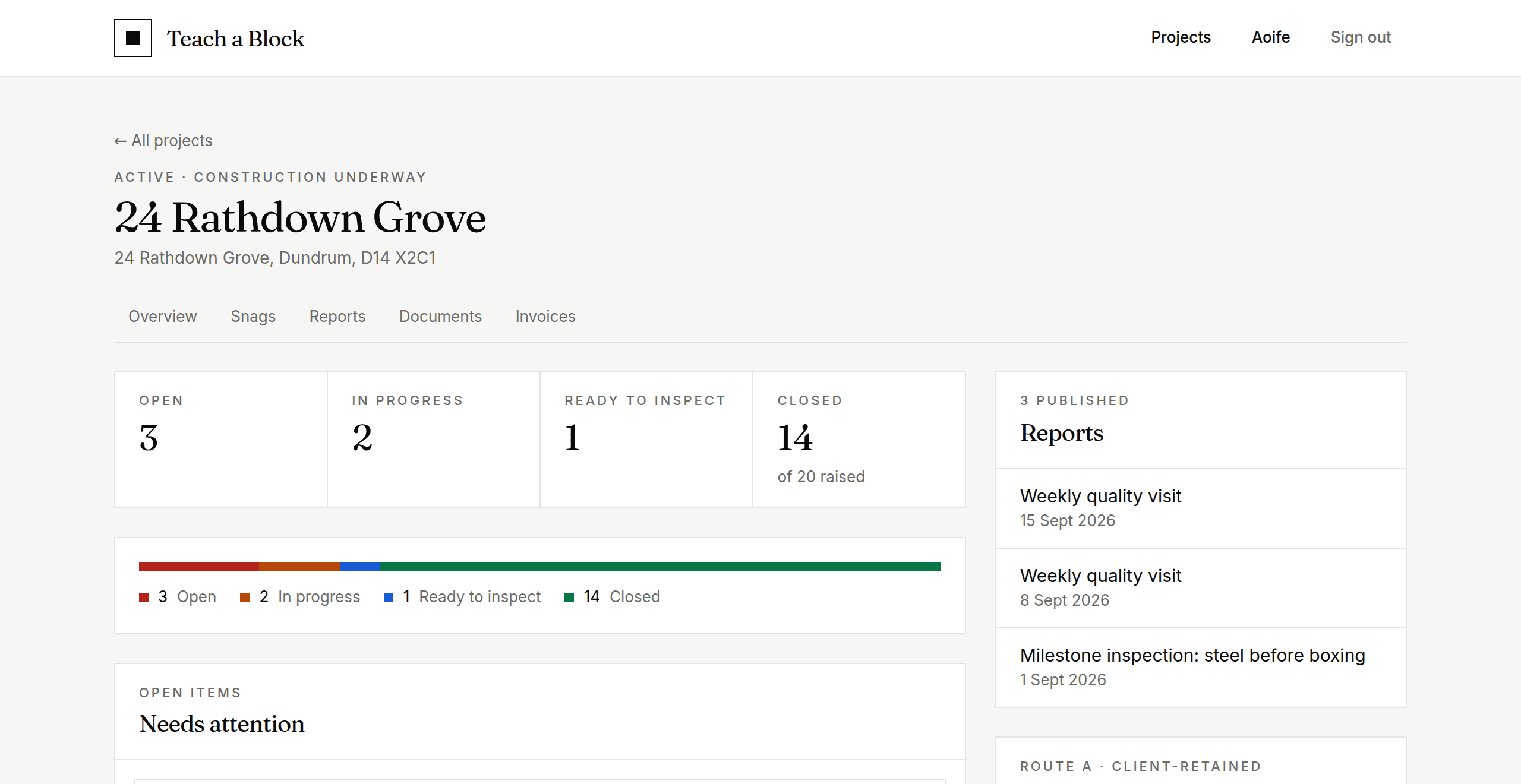
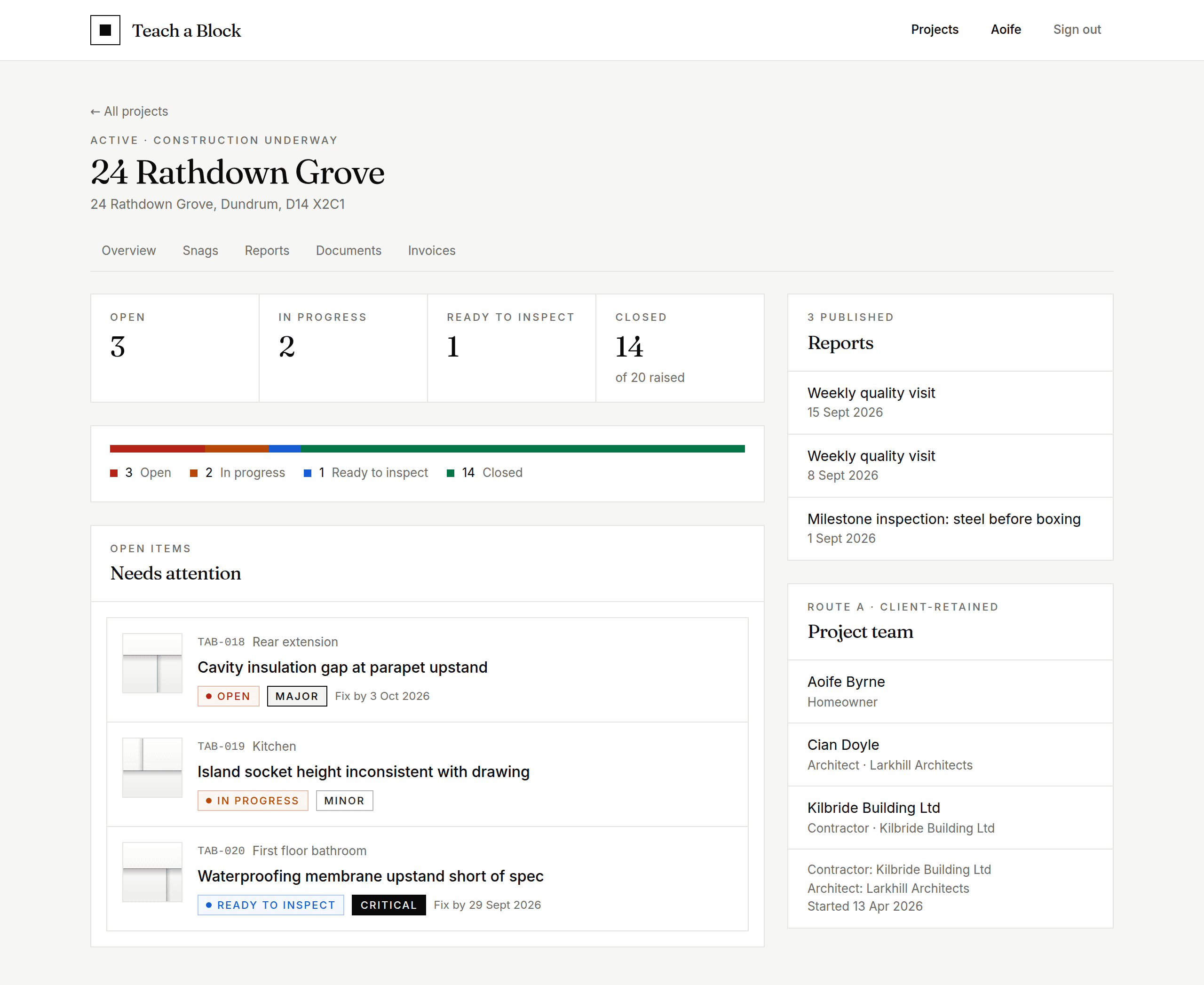
The project dashboard
One screen, the whole picture.
Open a project and you see where it stands immediately: how many snags are open, how many are with the builder, how many are ready to be signed off.
The items that need your attention sit at the top, each with a thumbnail, the location, a severity and a fix-by date. Below, three real examples: a major insulation gap, a minor snag the builder is already on, and a critical waterproofing defect flagged for immediate attention.
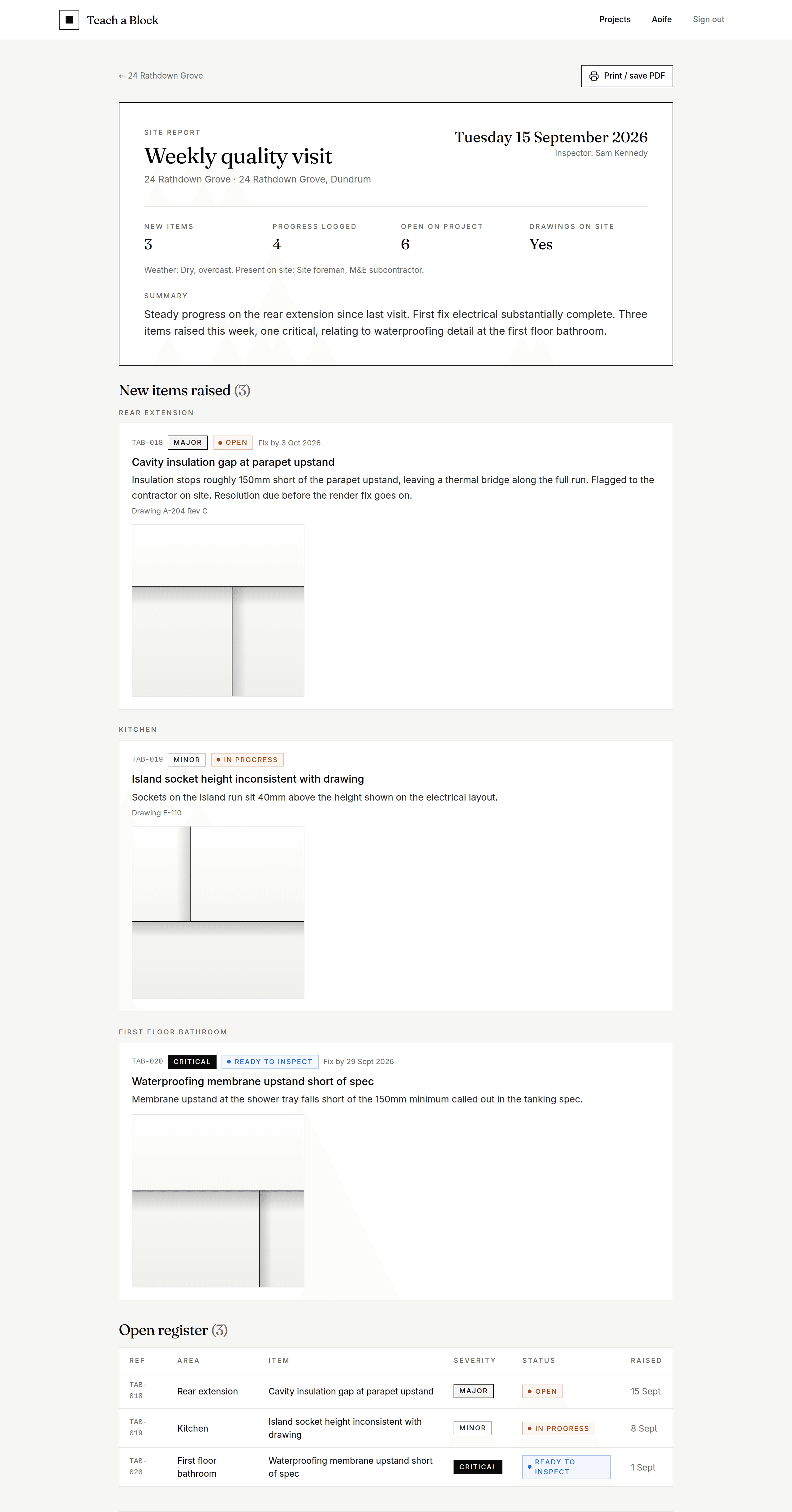
The paper trail
A written, photographed record of every visit.
Every site walk becomes a published report like the one below: what was found, where it was found, and a photograph you can refer back to months later. This one raised three issues in a single visit, each with its own severity, status and fix-by date.
Every finding is tracked as its own snag, from raised to closed, and every open item on the project is summarised in a register at the bottom of the report.
Want this on your build?
Access is set up when we take on your project. Get in touch and we'll talk through the right service for where you are.